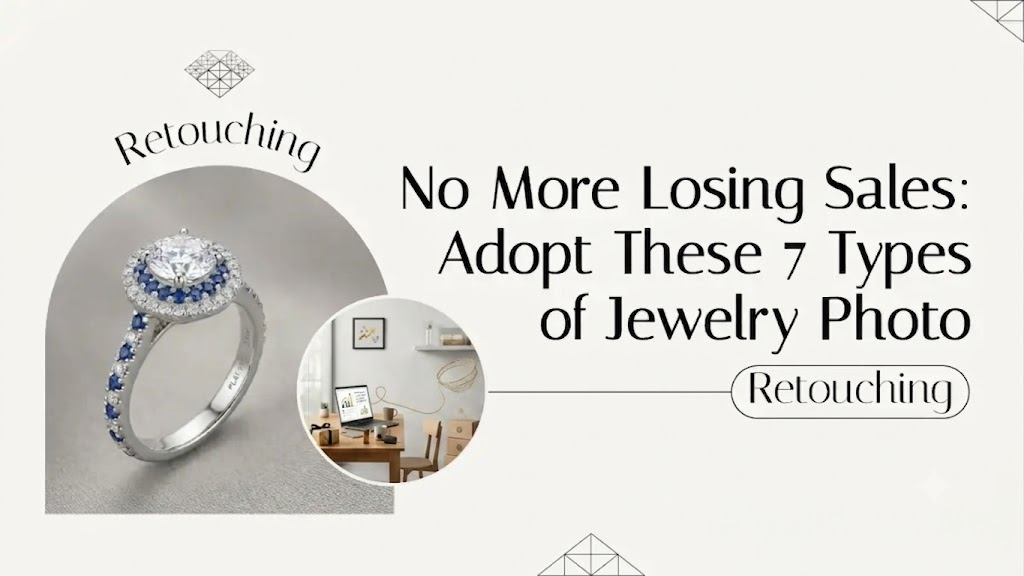
No More Losing Sales: Adopt These 7 Types of Jewelry Photo Retouching
You spent weeks perfecting that ring. The metal is smooth. The stone is rare.
Then you take a photo. It looks… dead.
Grey. Flat. Totally devoid of the magic you see with your own eyes.
It hurts. I know that feeling of uploading a product line, waiting for the sales, and hearing crickets.
Buyers online cannot touch your work. They cannot try it on. They can only see what your lens captured.
Most of the time, the camera lies. It catches every microscopic dust speck. It turns bright silver into a muddy charcoal color.
That is where specific types of jewelry photo retouching come in to save your margins.
Let us fix this. Let us look at how elite brands make their pieces look completely irresistible.
The 7 Types of Jewelry Photo Retouching That Build Trust and Wallets
High-end post-production isn’t about lying. It is about revealing the truth your camera missed. Every studio setup introduces accidental flaws. Lighting distorts colors. Lenses flatten depth.
To bridge the gap between a digital screen and a buyer’s hands, you need a toolkit. You need specific interventions that fix these technical gaps.
Let us break down the exact adjustments that transform flat pixels into expensive, touchable luxury.
1. Pure White Isolation and Background Eviction
Marketplaces are brutal. Amazon, eBay, and Etsy want clean lines.
Distracting backgrounds kill conversions. A messy shadow or a textured cloth takes the eye away from your craftsmanship.
Dirty/Grey Background → Pure 255 White Isolation = instant premium feel.
This visual formula is your baseline. Moving from a muddy studio backdrop to an absolute, pure white background removes visual friction. It instantly forces the buyer’s eyes to lock onto your design, not the environment.
By cutting the piece out completely, you create an instantly professional look. It standardizes your storefront.
It tells the buyer you are a real business. Not an amateur snapping photos on a kitchen counter.
2. Metal Smoothing and Killing the Reflection Monster
High-polish metal is a mirror. It is a nightmare to shoot.
Your camera lens is probably visible in that gold band. Your studio lights are reflecting as ugly white blobs.
Worse, rose gold looks muddy. Silver looks like tin.
- Reflection control: Erasing the silhouette of the photographer.
- Satin smoothing: Keeping the metallic texture while removing gradient flaws.
Edge definition: Making the borders sharp so the metal looks heavy and expensive.
Professional jewelry photo editing cleans up these reflections. It gives the metal a liquid, luxurious flow without making it look like a cheap digital drawing.
3. Gemstone and Diamond Fire Enhancement
Diamonds should dance. Emeralds should look deep and mysterious.
But digital sensors often flatten the facets of a stone. They turn a brilliant cut into a cloudy grey block.
A diamond without a sparkle is just a pebble to an online shopper.
Editors manually go into the stone. They boost the contrast on individual facets.
They highlight the fire. They bring back the natural color saturation that the camera flash washed out.
Suddenly, the stone has life. It looks like it is catching the light in a ballroom.
4. Microscopic Dust, Scratch, and Blemish Extermination
Macro lenses are cruel. They see things humans cannot.
You might think your sample piece is clean. But under a macro lens, a tiny flake of skin looks like a boulder. A microscopic scratch looks like a canyon.
Buyers see those flaws. Subconsciously, they think the quality is low.
- Polishing away microscopic metal burs
- Removing lint fibers from the prongs
- Clearing away fingerprint smudges
Cleaning these up makes the piece look flawless. It looks brand new, straight from the jeweler’s bench.
5. Shadow Realism and Grounding Your Pieces
Floating jewelry looks fake. It looks like a bad clip-art cutout.
When you remove the original messy background, you lose the natural shadow. You have to rebuild it from scratch.
Types of Jewelry Photo Retouching: The Shadow Breakdown
| Shadow Type | Visual Impact | Best Used For |
| Drop Shadow | Creates subtle distance from the floor | Flat-lay necklaces, earrings |
| Reflection Shadow | Mimics a mirrored, high-end showroom glass | Luxury watches, engagement rings |
| Contact Shadow | Tiny dark spot where metal meets the surface | Rings, heavy bracelets |
As you can see, shadows are not one-size-fits-all. A heavy ring needs to feel anchored to a glass surface, while a delicate lace necklace needs a soft, floating lift.
Picking the right shadow style gives your storefront a cohesive, high-end gallery feel instead of a messy, mismatched look.
A realistic shadow anchors the item. It creates depth. It tricks the brain into believing the object is physically real and right in front of them.
6. Strict Color Correction and Stone Hue Matching
Returns are the silent killer of e-commerce. Why do people return jewelry?
Because the sapphire they received doesn’t match the electric blue they saw on their screen.
Camera sensors often struggle with specific hues, especially teals, tanzanites, and rose gold.
Color correction fixes this. It ensures the digital image perfectly matches the physical inventory.
It protects your profit margins by setting accurate expectations.
7. Multi-Focus Focus Stacking for Crisp Details
Macro photography has a tiny depth of field. If you focus on the front diamond prong, the back of the ring band becomes a blurry mess.
That looks cheap. Buyers want to see the clasp. They want to see the hallmark stamp.
Shot 1: Front Focus + Shot 2: Middle Focus + Shot 3: Back Focus = 100% Sharp Image
Think of this as stitching together the perfect view. By layering these distinct focal points into a single composite image, you give the customer an impossible level of clarity that makes the piece look incredibly crisp on mobile screens.
Focus stacking blends multiple photos taken at different focus points.
The result? An image where every single element is razor-sharp. From the tip of the diamond to the edge of the clasp.
FAQ: Insider Questions You Need to Ask
1. How do editors handle pieces with intricate filigree or open wirework?
Open wirework requires advanced clipping paths. Editors use manual pen tools to zoom in at 400 percent. They carefully trace out the tiny gaps of negative space between the metal threads. This ensures that when the background is removed, no weird halo effects or leftover studio shadows remain trapped inside the filigree design.
2. What is the best way to handle yellow gold turning green under studio lights?
This is a common issue called color cast. Studio softboxes can reflect surrounding wall colors or tent fabrics onto the gold. Editors isolate the metal channels specifically. They pull out the cyan and green color casts using selective color curves. This restores the rich, warm, authentic honey-yellow tone of the gold.
3. How do you maintain the true texture of brushed or matte finished metals during editing?
Amateur editors often blur everything to make metal look smooth, which destroys matte textures. Professional editors use frequency separation. This technique splits the photo into color layers and texture layers. It allows the editor to clean up uneven lighting on the color layer while keeping the rough, brushed metal grain on the texture layer perfectly intact.
4. Why should I worry about different types of jewelry photo retouching if I use a 4K camera?
High resolution actually makes your images harder to sell without editing. A 4K camera simply captures flaws with four times the clarity. It amplifies dust, lens aberrations, and skin oil smudges. High resolution is great, but it requires even more precise post-production cleanup to look professional.
5. Can retouching fix a stone that has poor internal clarity or bad cutting?
Yes, to an extent. If a diamond has a heavy visible carbon inclusion or a dead spot from a bad cut, an editor can clone facets from healthier parts of the stone. They balance the internal reflections. This creates an idealized version of the gem that mimics a higher clarity grade while keeping it looking structurally believable.
Closure: Craftsmanship Deserves Perfection
Your jewelry takes time, skill, and passion to create. Do not let a mediocre camera sensor diminish that effort.
The market is crowded. Visual presentation is your only voice.
Investing in high-quality image presentation honors your work. It respects the customer.
When you utilize the right types of jewelry photo retouching, your online store transforms from a basic catalog into a high-end luxury boutique.
If your current images feel flat, dull, or plagued by ugly studio reflections, you do not have to fix them alone. You should be at the bench creating, not fighting with Photoshop curves.
You built the beauty. Now let the world actually see it.